I tried Getting Things Done (GTD) three times. Once with a physical notebook. Once with Notion. Once with Obsidian and a carefully designed folder structure I was genuinely proud of.
Each time I got six weeks in and fell off. The inbox piled up. The weekly review got skipped. The project list drifted into a graveyard of things I meant to do.
I kept telling myself it was a discipline problem. It wasn't. It was a maintenance problem.
GTD works. PARA works. Obsidian is excellent software. The problem is that these systems require someone to maintain them consistently. And if your brain works like mine, you already know that's not a reliable strategy.
What changed wasn't the system. It was that I stopped being the one maintaining it.
The vault as memory
There is no session continuity at the model level. Every time I open a terminal, Charles starts fresh. He doesn't remember yesterday's conversation. He doesn't remember last week's decisions.
The vault is what bridges that gap.
Not storage. Memory. Storage holds files. Memory holds context.
The vault accumulates: completed projects with what was learned, captured decisions and the reasoning behind them, meeting notes linked to the people who were there, research that informed a choice two projects ago.
When Charles reads it in the morning, he's not catching up on what he missed. He's resuming.
The morning briefing in the first article didn't come from his memory. It came from reading the vault. The flag about a friend not contacted in three weeks came from a task in the Relationships MOC created two weeks prior. The triathlon load assessment came from the Training Log, last updated two days earlier.
No retention. Full context. That's what the vault makes possible.
What the vault actually is
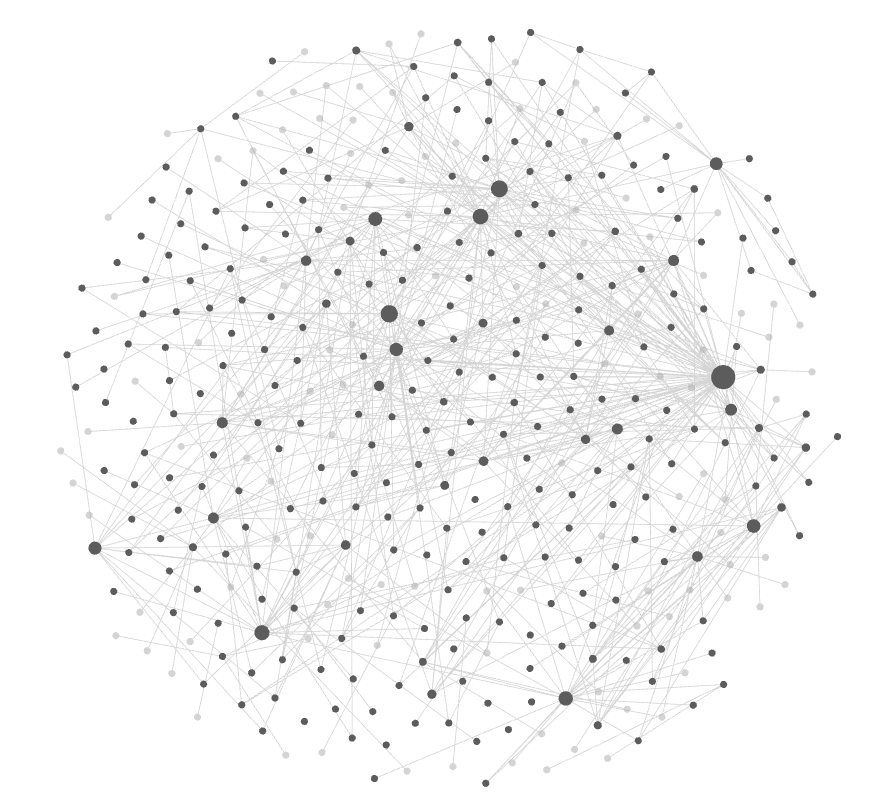
The vault is 245 markdown files in a folder on my laptop, version-controlled with git, backed up daily. Ten numbered folders. Projects, areas, research, meeting history, behavioral rules for an AI. With 763+ connections between notes.
Not a database. Not a SaaS subscription. Not a proprietary format. Plain files I can open with any text editor. Obsidian is the tool I use to read and navigate them: a free markdown editor that renders these files with links, graphs, and search. But the files themselves are just text.
vault/
├── 10-Dashboards/        ← task queries, live views
├── 20-Daily-Notes/       ← workspace: planning, quick todos
├── 30-Inbox/             ← GTD capture
├── 40-Projects/          ← multi-step outcomes with deadlines
├── 50-Areas/             ← ongoing responsibilities
├── 60-Resources/         ← cross-project reference
├── 70-Archives/          ← completed and inactive
├── 80-Permanent-Notes/   ← synthesized knowledge
└── 90-Templates/         ← note templates for every type
The structure follows GTD for task management and PARA for information architecture. Numbered folders for sorting. Gaps of ten for future expansion. Nothing invented. Nothing that requires maintenance from a vendor.
I chose Markdown deliberately. Obsidian renders it beautifully for me. But Charles reads it natively: no conversion, no API, no parsing layer. He opens a file the same way a text editor does.
Plain text turned out to be both the most future-proof format and the most AI-readable format. I didn't plan that. It's just what fell out of the constraint.
Maps of Content: the knowledge graph
Every project has one file that serves as its anchor: the Map of Content, known as MOC. From the MOC, links branch out to meeting notes, research files, task lists. From those notes, links point back. The graph is navigable in both directions.
15 MOCs across the vault. 763 links connecting them.
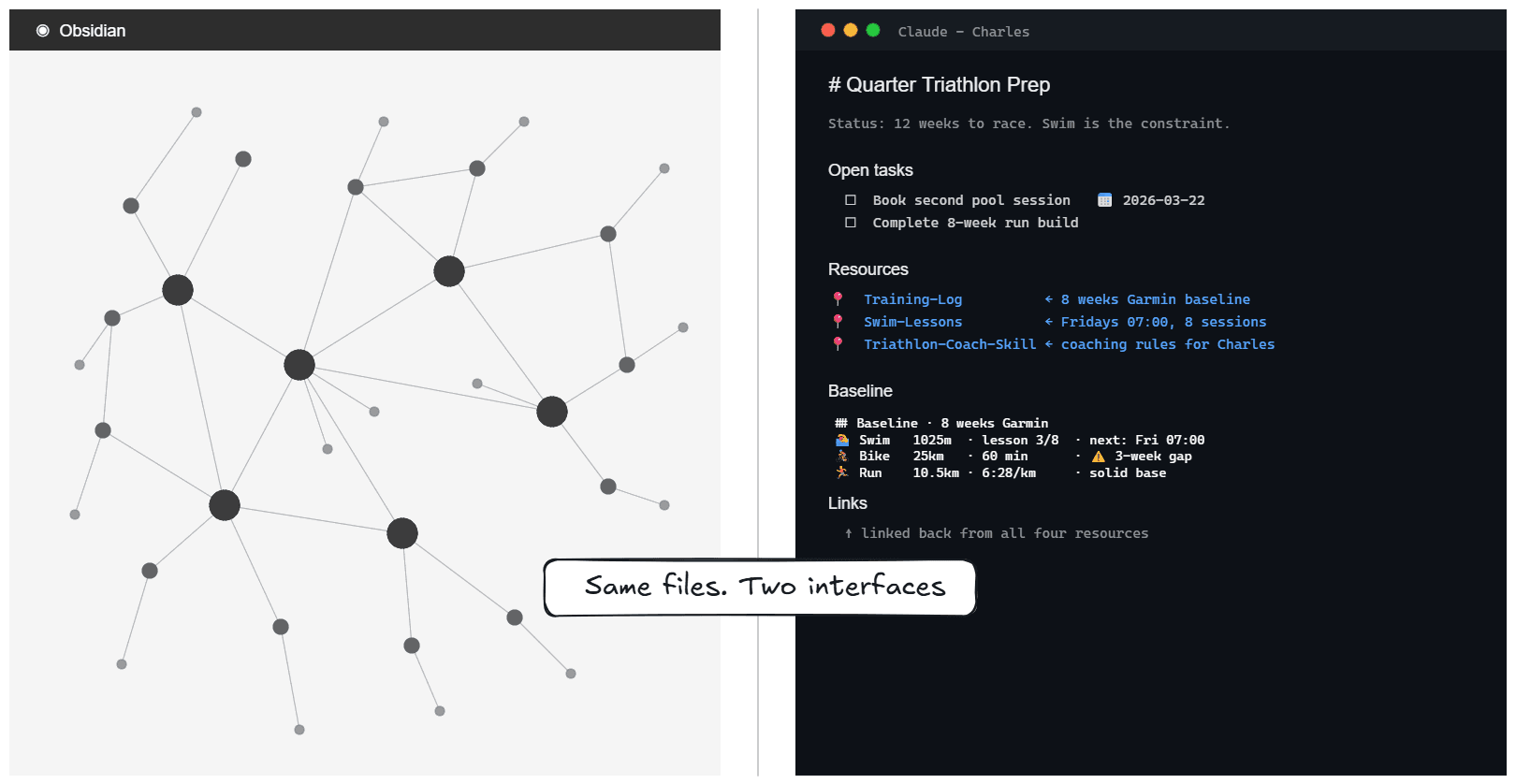
When Charles reads a project MOC, he doesn't get a document. He gets a knowledge graph.
Here's what that looks like for the triathlon project:
Quarter-Triathlon-Prep MOC
├── Status: 12 weeks to race. Swim is the constraint.
├── Tasks: [ ] book second pool session, [ ] 8-week run build
├── [[Training-Log]]          ← 8 weeks of Garmin baseline
├── [[Swim-Lessons]]          ← Fridays 07:00, 8 sessions
├── [[Triathlon-Coach-Skill]] ← coaching rules for Charles
└── linked to Garmin MCP      ← live training load
     ↑
    linked back from all four
From one MOC, Charles knows the project status, the open tasks, the constraints, the history, and where the live data comes in. He follows the links when he needs depth. He reads the anchor when he needs overview.
There are three link types I maintain deliberately, encoded as standing rules in CLAUDE.md.
Vertical links connect parent to child: the project MOC links down to meeting notes, meeting notes link up to the MOC. The hierarchy is always recoverable.
Horizontal links connect across domains: a triathlon training note links to a recovery note in Areas, which links to the Garmin data note. Knowledge from one domain informs another.
Referential links connect to permanent knowledge: a project note links to a synthesized insight in Permanent Notes, built from multiple projects over time. The kind of knowledge that belongs to no single project but keeps showing up.
No orphaned files. Every new file created, by me or by Charles, gets backlinked immediately, bidirectionally. This is a written rule in CLAUDE.md. It is not optional — that's why it's Charles's job, not mine.
This article exists in the vault, linked to the series definition file, linked to the LinkedIn post, linked to the analytics note that will track its performance after publishing.
Token efficiency: the briefing pattern
A vault with hundreds of files is too large to read in full every session. And reading every MOC in full adds up fast.
The difference in practice:
Token load comparison for Projects:
   13 project MOCs combined: ~20,000 tokens (81KB of text)
   Projects-Summary.md:   ~1,000 tokens  (4KB of text)
Projects-Summary.md is 74 lines. One compressed view of everything active. Charles reads this first. If he needs depth on a specific project, he follows the link into the full MOC, and from there into individual meeting notes or research files. If not, he moves on with full situational awareness.
Same information. 5% the cost.
Every MOC also has priority sections that Charles knows to scan in order. "High Priority" first. "Next Actions" second. "Someday/Maybe" skipped in daily planning entirely. The AI doesn't need to be told where to look. The structure tells it.
Daily notes are deliberately thin. They are workspaces, not task lists. Tasks live in MOCs, where they persist across sessions. If a task lands only in today's daily note, it vanishes from sight tomorrow.
16 Obsidian templates in the vault. One for each note type: project, area, meeting, person, web capture, permanent note, weekly review. When Charles creates a file, it starts with the correct structure. Consistency isn't enforced after the fact. It's baked in at creation.
You wouldn't hand a new employee every document in the company on day one. You'd give them a briefing, a map of where things live, and a pointer to go deeper when needed. That's the pattern.
Two users, one vault
I work in Obsidian. Charles works in the terminal. We read and write the same vault.
Markdown supports two comment types that turn it into a two-channel communication layer.
%% is the Obsidian comment. Invisible in Obsidian's reading mode. But Claude reads raw markdown. So a note can carry a message I'll never see in the rendered view:
%% Charles: this client prefers async over calls.
   Remember during next meeting prep. %%
I ignore it visually. Charles reads it as standing instruction. Same file, different messages.
I use the same pattern while drafting. When I'm working on an article, I leave questions and revision notes in %% comments for Charles to resolve before the next iteration, the same way I would with a human editor. He reads them. I never see them in Obsidian's reading mode.
HTML comments do the same job for structural directives:
<!-- Scanned FIRST by daily planning: check this section every session -->
Invisible to Obsidian's reader. Explicit instruction for the AI. No separate configuration file, no extra step. The document is self-describing.
There is also a collaboration contract: every file Charles creates is linked bidirectionally on the same day. I can open the vault tomorrow and trace exactly where any note came from, what project it belongs to, what conversation triggered it, and what other notes point to it.
Most AI collaboration is linear: you prompt, it responds, you evaluate. This is different. We share a workspace. We both read it. We both write to it.
When I drop a note into the inbox tonight, Charles will find it in the morning and understand where it fits. When Charles creates a research note after a people-research session, I'll see it linked from the project MOC before I open it. Neither of us re-explains what the other missed. We just pick up where the vault left off.
Shared context. No handoff.
Most of the time. On the days I skip a session entirely, the inbox sits unread. The vault waits. Nothing decays — it just pauses until I return.
Behavioral definitions as vault files
The most consequential files in the vault don't contain tasks or research. They define how Charles thinks. All three live in 80-Permanent-Notes/.
Assisting-User-Context.md: Identity, operating principles, permission rules, goals. Charles reads this to know who I am, what I care about, and how to handle edge cases. Not a prompt. A document I edit in Obsidian when my priorities shift.
Working-Personas.md: 12 named review lenses. The Builder checks if the implementation holds up. The Skeptic looks for hype and hollow claims. The Practitioner asks if a real person would sustain this. The Editor cuts everything that doesn't earn its place. "Run the stress test" invokes all four. The result is a consolidated verdict on whether an output survives adversarial review.
Personal-Operating-System.md: Rules that compensate for known attention patterns. 17:00-19:00 is a protected family window, never scheduled during planning. A pre-flight check runs before task recommendations, not after. Friends not contacted in three weeks get flagged by name, with a task to fix it. Encoded because the pattern is predictable and the failure mode is well-documented.
The principle: if I want to change how Charles behaves without touching code, it lives in the vault. CLAUDE.md is the routing layer containing summaries and pointers.
Deliberately thin here. What those files contain, and why encoding personal patterns into AI rules changes everything, is the next article.
The foundation before the AI
The vault was always possible. GTD existed for decades. PARA was documented publicly. Obsidian is free software anyone can download.
The methodology was never the bottleneck. I had that. Three times.
What wasn't possible was someone other than me maintaining it. Consistently. Every session. Every file. Every link. Every day, including the days when maintenance is the last thing I want to do.
That's what changed.
We don't share a memory. We share a workspace. And the workspace does what I could never do alone: show up every morning, link every note, read every priority, and never lose a thread.
The Second Brain Stack. Next up: CLAUDE.md. Not a prompt. A personal operating system that tells your AI when to push back.