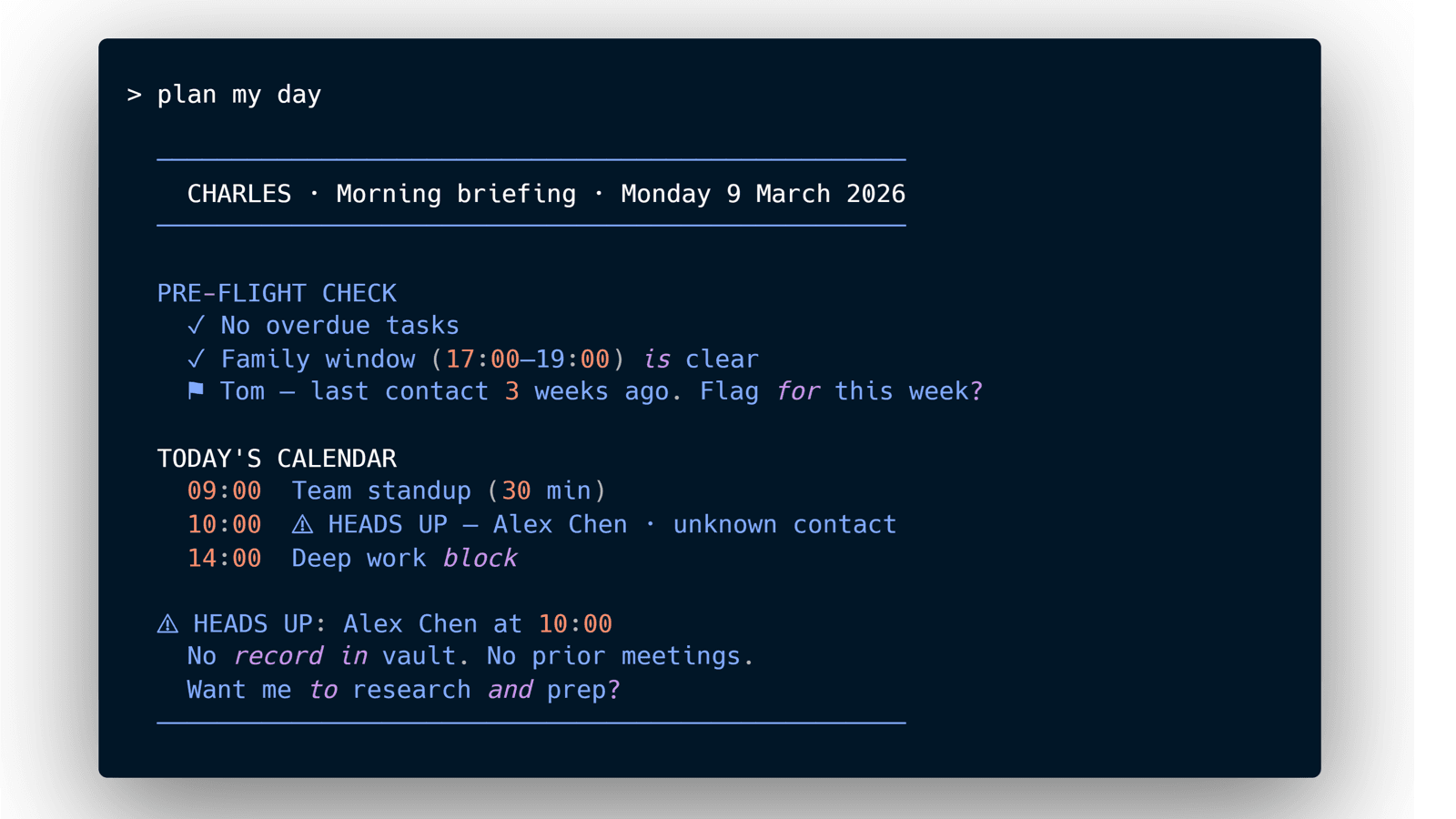
Every morning I open a terminal and type three words: "plan my day."
Charles comes back with a briefing. Tasks in flight, project updates, what's overdue, what's coming. Then he gets to my calendar.
"You have a 10am with someone I don't have in the vault. Want me to prep?"
I said yes. Fifteen minutes later he came back with their LinkedIn background, two YouTube interviews I hadn't seen, a summary of their priorities. Then meeting notes, structured around the purpose of the meeting itself, pulled from the calendar invite.
I hadn't asked for any of that. He just knew what a Chief of Staff would do.
That's when I stopped thinking of this as a tool.
> plan my day

──────────────────────────────────────────────────
  CHARLES · Morning briefing · Monday 9 March 2026
──────────────────────────────────────────────────

PRE-FLIGHT CHECK
  ✓ No overdue tasks
  ✓ Family window (17:00–19:00) is clear
  ⚑ Tom — last contact 3 weeks ago. Flag for this week?

TODAY'S CALENDAR
  09:00  Team standup (30 min)
  10:00  ⚠ HEADS UP — Alex Chen · unknown contact
  14:00  Deep work block
  17:00  [FAMILY WINDOW — protected, not scheduled]

⚠ HEADS UP: Alex Chen at 10:00
  No record in vault. No prior meetings.
  Want me to research and prep?

TODAY'S FOCUS
  ⏫ Finish draft review → "I don't use AI. I run it."
  ⏫ LinkedIn challenge pass — article 1
  🚴 Triathlon prep — 45 min bike (zone 2, recovery pace)
     -> Garmin: 3 sessions this week · load on track
  ▷ Garden: frost forecast before Saturday
  ⏳ Waiting — Meeting confirmation (expected this week)

──────────────────────────────────────────────────
  2 high-priority · 1 unknown contact · 1 waiting
  Type "prep alex chen" to start meeting research
──────────────────────────────────────────────────
Charles is my AI. And yes, I gave him a name.
He runs on Claude Code and lives in a terminal on my laptop. Not a chat window. Not a browser tab. A terminal I open every morning the same way an executive opens a briefing document.
Here's what's underneath. Four layers. One system.
The memory: Obsidian Vault
Everything I know lives in a folder of structured markdown files on my laptop. Projects, research notes, meeting history, people, drafts in progress. Not in a chat history that resets. Not in a tool with a vendor lock-in. In plain files I can read, search, and edit directly in Obsidian.
What makes it more than a filing system is the links. Every note can reference every other note. A project links to the people involved. A meeting note links to the company. A research note links to the articles that informed it. When Charles reads my vault he doesn't just get a document, he gets a knowledge graph. Context flows through the connections.
  [[Project A]] ──── [[Person: Alex]]
       │                    │
  [[Meeting: 2026-03-01]] ──┘
       │
  [[Company: Acme Corp]]
The structure follows Getting Things Done (GTD) for task and project management and PARA for information architecture. Projects, Areas, Resources, Archives. Simple enough to maintain, powerful enough to scale.
The interface: Claude Code
Most AI interactions are stateless. You open a chat, give context, get output, close the tab. Next session, you start over.
Claude Code is different. It runs in a terminal and reads a file called CLAUDE.md at the root of my vault. Think of it as the system prompt that never disappears. It tells Charles who I am, who he is, how I work, what my priorities are, what my projects are, and how he's supposed to behave.
Every session he opens the vault, reads the relevant files, and picks up where we left off. I don't re-explain context. I don't re-prompt from scratch. I just talk to him.
That's the difference between a chatbot and a Chief of Staff.
Skills that compound
Early on I was prompting my way through the same workflows every time. Competitive research, inbox processing, meeting prep, LinkedIn drafting. From scratch, every time.
Skills are a native Claude Code feature. A skill is a markdown file containing instructions, workflow steps, and the context Charles needs to do a specific job well. Anthropic ships some built-in, and there's a growing community library at skills.sh. I've built my own on top of those.
Current skills: people research, GTD inbox processing, competitive intelligence, LinkedIn thought leadership drafting, daily planning with a pre-flight check, triathlon coaching, and a few more. Each one gets refined every time I use it. I notice what worked, what didn't, and update the skill file. Next time it runs better.
"If I do it twice, I turn it into a skill."
Skills are where the compounding really happens. Each one adds a capability that makes the system more useful than the session before.
Live data: MCP
The vault is static knowledge. MCP, the Model Context Protocol, connects Charles to live data.
Google Calendar tells him what's actually happening today. Garmin gives him my training load for the week. Web search lets him research in real time. Notion connects to my capture inbox.
This is how the meeting prep in the opening actually worked. Charles saw the meeting in my calendar, checked the vault for history, found nothing, searched LinkedIn and YouTube in real time, combined it with the meeting agenda from the calendar invite, and built a brief. Four data sources, one output, fifteen minutes.
That's the difference between an AI that reads documents and one that works with your day.
How it fits together
┌─────────────────────────────┐
│         Charles (AI)        │
│     your Chief of Staff     │
└──────────────┬──────────────┘
               │ reads
┌──────────────▼──────────────┐
│          CLAUDE.md          │   ← identity · rules · persona
└──────────────┬──────────────┘
               │ opens
┌──────────────▼──────────────┐     ┌──────────────────────┐
│       Obsidian Vault        │◄────│        Skills        │
│                             │     │                      │
│  Projects · Meetings        │     │  Daily planning      │
│  People · Tasks             │     │  People research     │
│  Research · Drafts          │     │  Inbox processing    │
│  Areas · Archives           │     │  LinkedIn drafting   │
│  + more...                  │     │  + more...           │
│  -- -- -- -- -- -- -- -- -- │     └──────────────────────┘
│  ★ Memory & Context ★       │
└──────────────┬──────────────┘
               │ queries
┌──────────────▼──────────────┐
│       MCP live data         │
│                             │
│  Google Calendar · Garmin   │
│  Web search · Notion        │
│  + more...                  │
└─────────────────────────────┘
The capture loop
Ideas don't wait for a desk. I message a Telegram bot when something hits me. An n8n workflow catches it, routes it to a Notion inbox, and Charles processes it into the vault the next morning with context and routing. By the time I sit down, yesterday's ideas are already in the system.
┌──────────┐     ┌──────────┐     ┌──────────────┐     ┌──────────────┐
│ Telegram │────▶│   n8n    │────▶│ Notion inbox │────▶│    Charles   │
└──────────┘     └──────────┘     └──────────────┘     └──────────────┘
idea hits          catches &         queued for            routes into
anywhere           routes            next morning          vault
Zero friction to capture. Structure when it matters.
The rules
A system without guardrails is just a faster way to make mistakes.
I gave Charles rules, built into his CLAUDE.md. 17:00-19:00 is a protected family window. He doesn't fill it during planning. When he doesn't know something, he says so rather than making something up. When I'm staying busy on things that feel productive but aren't, he flags it.
Rules live in skill files too. The daily planning skill has a pre-flight check that runs before any task recommendations: overdue items, family needs, friend connections. The things that fall through the cracks when you go 200% on work.
These aren't constraints. They're what makes Charles trustworthy enough to actually rely on.
It hasn't been perfect
Daily planning was burning through tokens fast. I fixed it by building Map of Content files, compressed overviews of each project that Charles loads instead of scanning every note. When he needs more depth, he follows the links into the vault.
I've tried Obsidian and GTD many times before. And I failed every time. Maintaining the structure was the part I kept failing at. What changed with Charles wasn't the system, it was that he does the maintaining. He used what was already there, saw patterns and made sense of it. When something breaks, you ask him to refactor. It's all just files. You iterate, improve and keep going.
Charles and I are a true dream team. The kind that only works because neither of us starts over.
What building this taught me
AI fluency isn't just about knowing the right prompts. And yes, it definitely helps. But every layer I added forced me to be more explicit about what I actually want. To name my priorities. To define how I work. To articulate what matters. Charles didn't do that thinking for me. He forced me to do it myself.
We don't start over. We build on.
Development is moving fast enough that I'm already questioning parts of this setup. Is n8n and Telegram the right capture loop? Maybe. Anthropic just released remote control for Claude Code, which allows me to connect to my instance from the Claude code app and have the full power of Charles available on my phone. That changes the capture story completely.
But that's for another article.
One last detail. This article has been sitting in my vault since last week, drafted by Charles. An AI describing how it works, stored in the system it built. The storage is the system, writing about itself.
If you made it here, you've covered a lot of ground. And this is still just the overview. I haven't named every MCP connection, every skill, or every rule in CLAUDE.md. Each layer has more depth than one article can hold.
The Second Brain Stack series will go there. Layer by layer. Use case by use case.
No comments section here. If you have questions or want to vote on what comes next, the LinkedIn post is the place. I read every reply.